Quick Start
The following resources are available for you to get started with Qualtrics:
Qualtrics Basecamp
Qualtrics Basecamp is the online learning platform where you have access to learning instructions on how to use Qualtrics.
Qualtrics Website
Qualtrics offers access to an extensive library of knowledge base articles, including detailed instructions on how to use and configure (advance) features.
Qualtrics Community
The Qualtrics community is a platform for all Qualtrics users to ask questions and share experiences. Make sure to log in using Single-Sign On (SSO), and when asked to enter your company’s Organization ID, fill in vuamsterdam.
How to: Create and access your account
On the login page, choose: Vrije Universiteit SSO
Log in with your VU account credentials (email address and password)
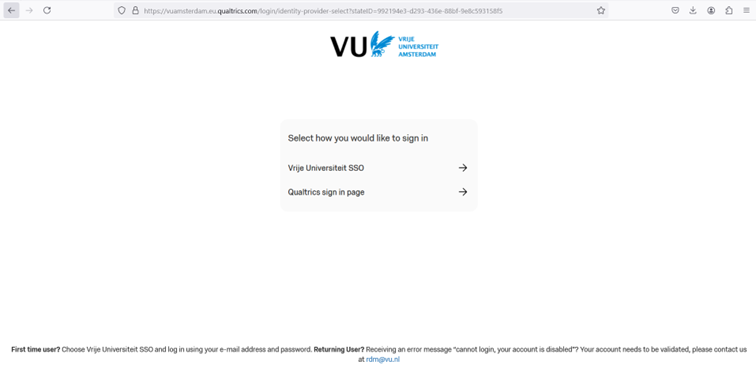
VU’s central brand login page Choose “No, I don’t have a preexisting account here” when it is your first time enrolling the central brand
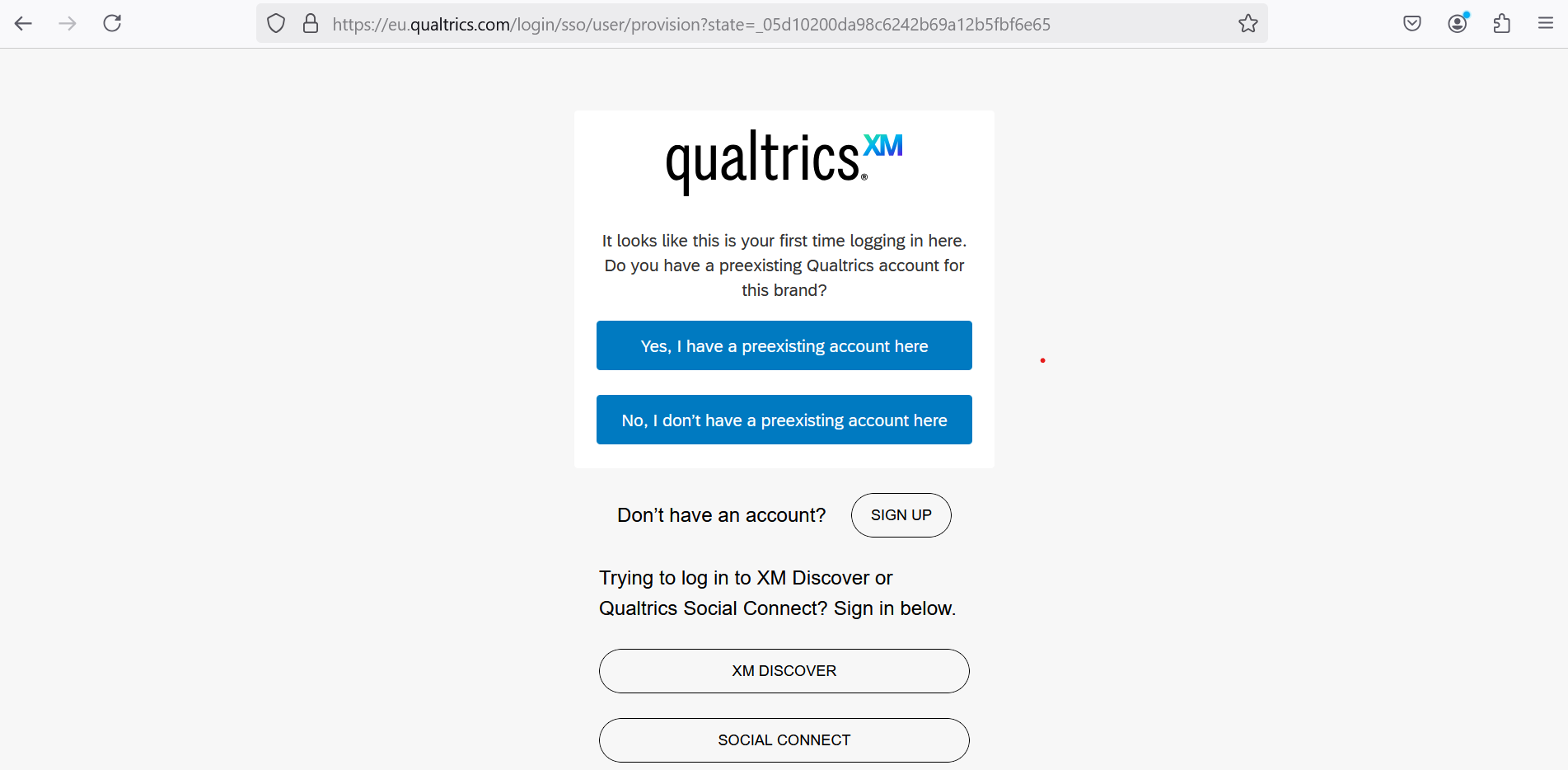
Qualtrics preexisting account Click
Sign In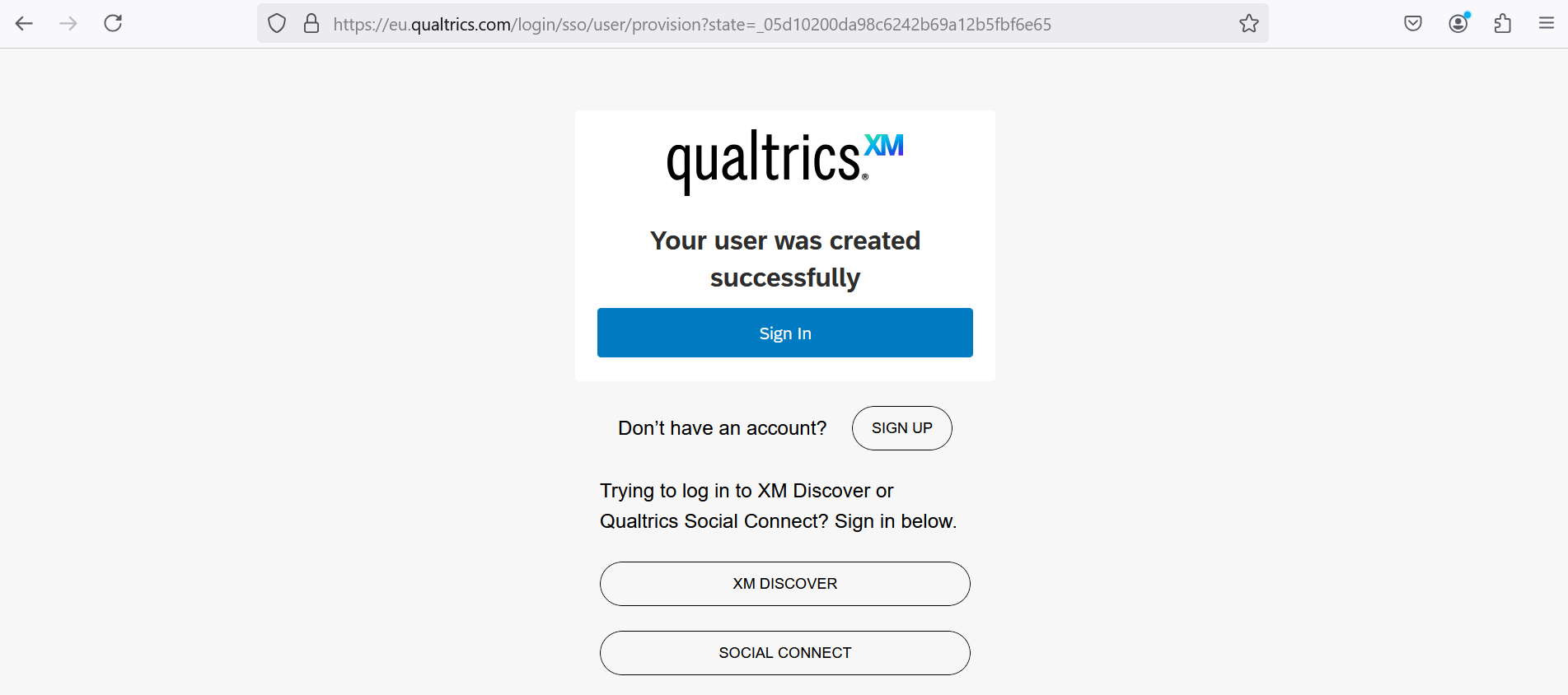
Qualtrics account created successfully Terms of Service or General Terms and Conditions for Qualtrics Services are presented for review and acceptance.
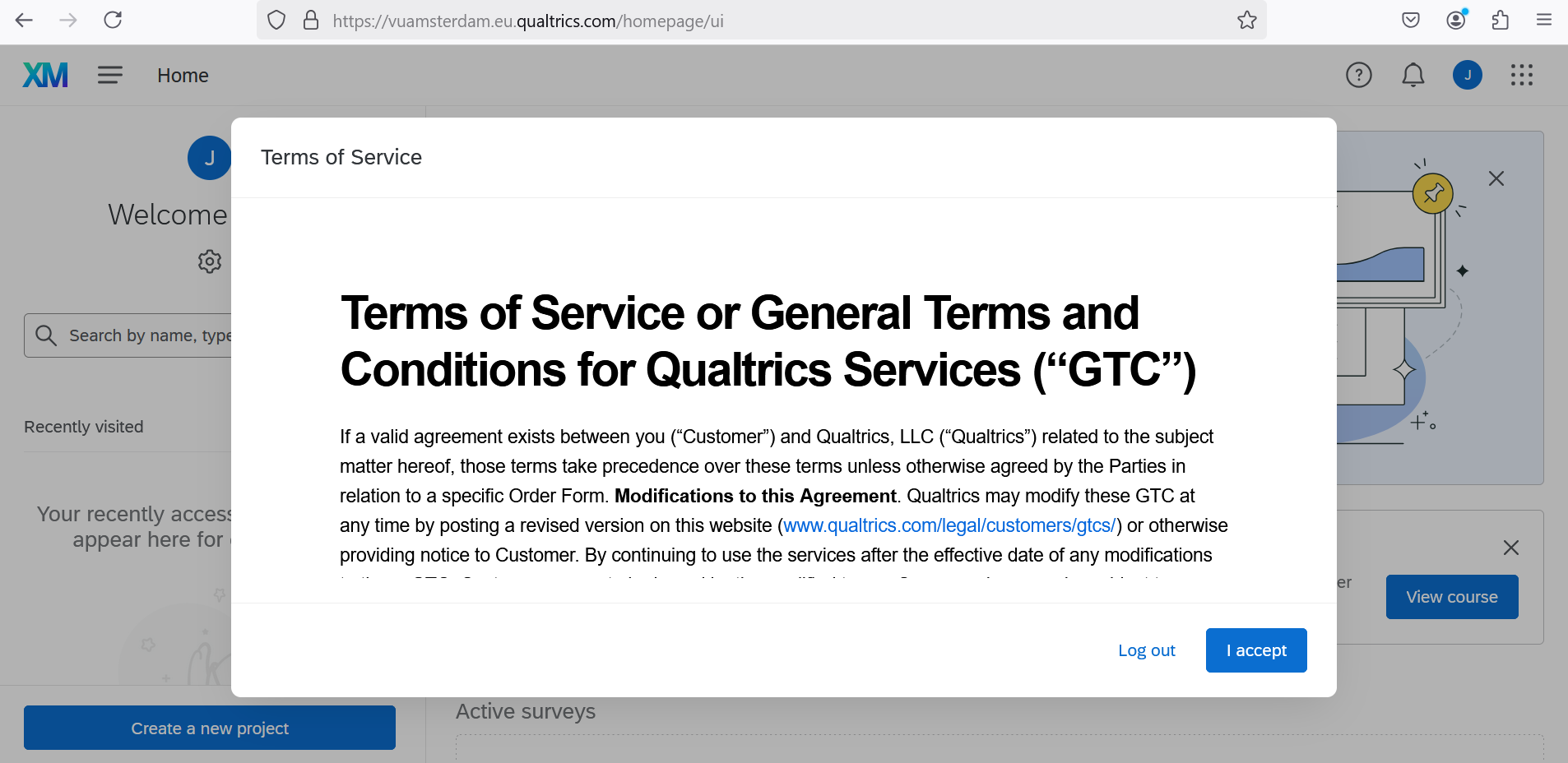
Qualtrics terms conditions
It is recommended to save VU’s Central Brand as a Favourite or Bookmark link for future reference.